

Blog
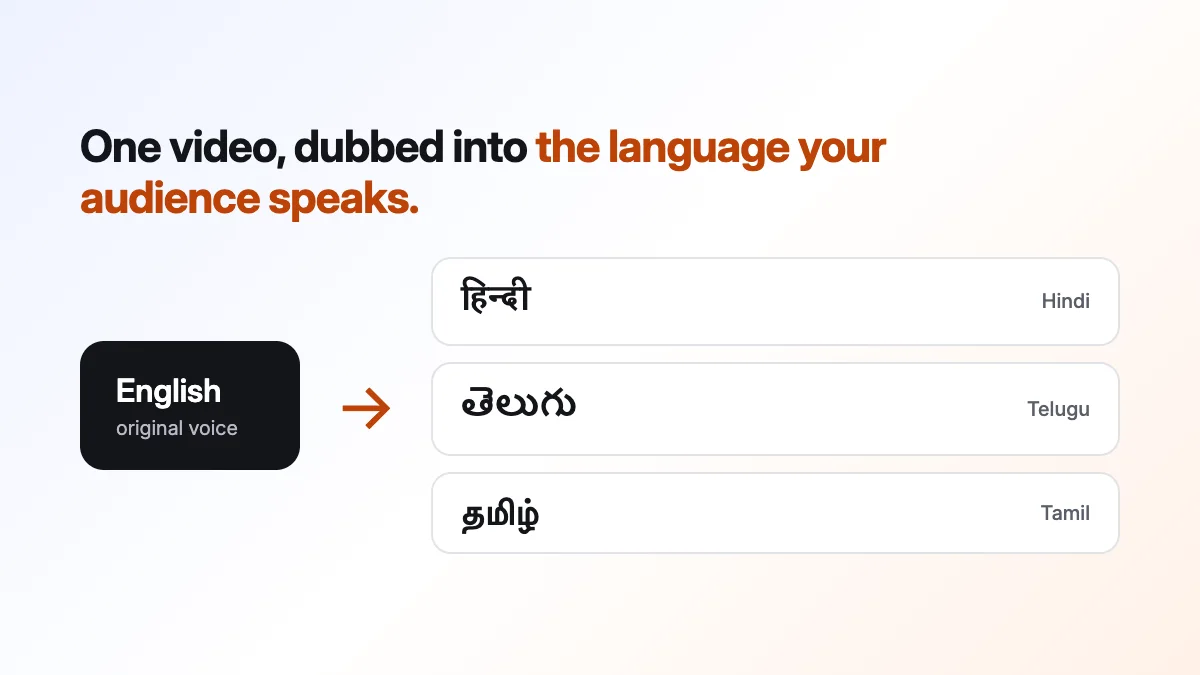
How to dub a video into Telugu, Tamil or Hindi with AI
Dub a video into Telugu, Tamil, Hindi and more with AI: paste a link or upload, choose the language and press Dub. What to prepare and what to check.
In short: Open AI Dubbing, paste a YouTube link or upload your video, choose the language and press Dub video. Each speaker gets a voice close to their own, the music stays, and you get captions in the new language.
A video in one language reaches the people who speak it. Dub it, and a lesson, an ad or a vlog can reach people who would otherwise scroll past. AI makes this quick enough to do for every video, not just the big ones.
Before you start
- A video of up to 10 minutes, as a YouTube link or a file (MP4, MOV, WebM, MKV or M4V).
- Permission to dub it. It should be your video, or you need the owner's okay. Muvomi asks you to confirm this before it begins.
- Reasonably clear speech. Background music is fine, because it's kept.
- The spoken language, if you know it. If you don't, Muvomi listens and finds out.
Dubbing a video, step by step
- Open AI Dubbing in the studio. If you don't have an account yet, start free.
- Paste a YouTube link into the prompt, or attach a file with the plus button. Tick the box saying you have the rights.
- Leave From on Auto-detect, or pick the spoken language.
- Choose To: Telugu, Tamil, Hindi or any other language in the list. The price appears next to the button once Muvomi knows how long the video is.
- Press Dub video. Muvomi listens to the speakers, writes their lines in the new language, voices them and puts the new sound on your picture. You can leave the page and come back later.
- When it's done, watch it and download it. Or open it in the video editor to trim it, add music or export at a different size.
What you get back
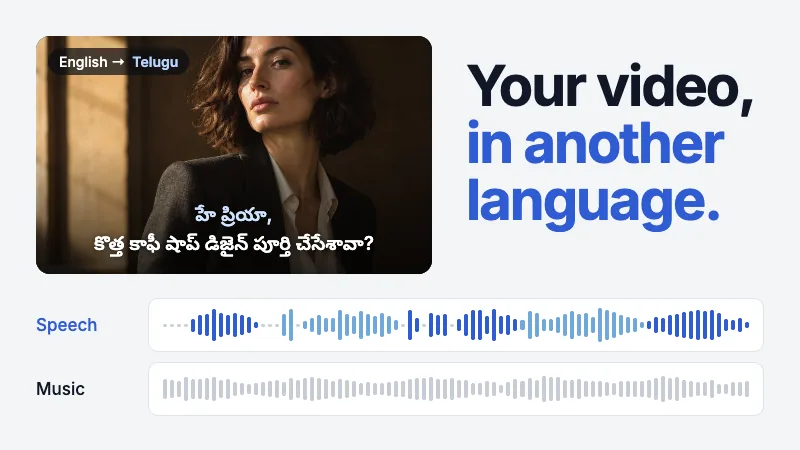
- A new voice for each speaker, close to their own, so a conversation still sounds like two people.
- Your music, the room sound and the effects, untouched. Only the speech changes.
- Each new line placed where the original was said, so it still lands on the cuts.
- Captions in the new language's script, which you can download as SRT or VTT.
Listen before you publish
A dub is a fast first version. Play it all the way through with the sound on before it goes out. If the video matters, like an ad or a course, ask someone who speaks the language to listen too. Names and technical terms are the places to check most closely. Turning on captions in the new language also helps the people who watch on mute.
FAQs
Questions about this guide
Which languages can I dub into?
92 of them. That includes Hindi, Telugu, Tamil, Kannada, Malayalam, Marathi, Gujarati and Punjabi, plus Spanish, French, Arabic, Japanese and Chinese.
Is dubbing free?
Your first dub is free: one video up to 30 seconds long, into one language. After that you'll see the price next to the Dub button before you press it. Details are on the pricing page.
Does the dub keep the music?
Yes. Only the speech is replaced. The music, the room sound and the effects stay as they were.
Can I dub a video that isn't mine?
Only if you have the rights or the owner's permission. You confirm this before dubbing starts, and the Terms explain what's allowed.
Can I add captions too?
Yes. The dub comes with captions in the new language. Open it in the video editor and give them a look from the caption templates.
Keep going
Related pages
AI Video Dubbing
Dub a video into another language.
Telugu captions
Captions in Telugu script or English letters.
Tamil captions
Captions in Tamil script or English letters.
How to add Hindi and Hinglish captions
Caption a video in Hindi, Hinglish or English.
All tools
Every tool in the studio.
Try it on your own video.
Free to start, with no card needed.